# Jarvis + Jev: A Free Voice Assistant For Your Mac, With Faster Reflexes
J.A.R.V.I.S. is a free, open-source voice assistant that runs on your Mac. Say
"Hey Jarvis" and it listens, answers out loud, and can search, look through
your camera, or change what's on your own screen — through Claude Code itself,
run headless. No API key, no card: it bills to the Claude plan you already
pay for (Pro or Max).
The problem is the wait. Every single command, big or small, goes through a
full Claude turn first — so even "make it purple" sits for close to two
seconds before anything moves. We put a second, much smaller free model in
front of it that answers instantly for simple screen commands, and measured
exactly how much that changes.
## What Jarvis actually is
Repo: https://github.com/adewaskar/jarvis, MIT license, 210 stars. Two pieces talking
over a WebSocket: a browser page (the face — wake word, voice, a glowing
reactor-style interface) and a small Node process (the brain — the Claude
Agent SDK, which runs the real claude CLI headless). The README's own line
for this: "the brain literally is Claude Code, headless." Whatever MCP tools
you already have configured in your own Claude Code setup, Jarvis can reach.
Anything that writes or acts — sending, deleting, clicking — is off until you
flip one flag yourself.
The mechanism: a tiny brain in front of the big one
Open-Jev-2B (https://github.com/Zefan-Cai/Open-Jev, MIT code, CC0 weights, about 4 GB)
is a small local model built to answer one question fast: given what you just
said, is this one of six direct screen actions (recolour, resize, an effect,
clear, reset), or is it a real question that needs Claude? It runs on your
Mac's own GPU and answers in roughly a third of a second.
We wrote a 67-line sidecar (jev-router.mjs) that sits between the browser
and Jarvis's brain. Every command goes to Open-Jev first. If it's confident
the command is a direct screen action, the sidecar fires that action straight
through — the same message Jarvis's own tool would send — and skips Claude
entirely. Anything else, including every real question, passes through to
Claude completely unchanged.
What we actually measured — and what failed first
We pre-registered a threshold (0.6: how confident Open-Jev had to be before
acting alone) and a rule for calling the idea wrong, before running anything.
First result: refuted. At 0.6, the fast path only fired on 2 of 9 real
screen commands — too cautious to matter.
We lowered the threshold to 0.35 and tested it on 30 commands it had never
seen (two fresh held-out sets, committed before either run). This time: 14 of
15 screen actions took the instant path, and every one that did was the right
action. 0 of 15 real questions were ever executed as a screen action by
mistake.
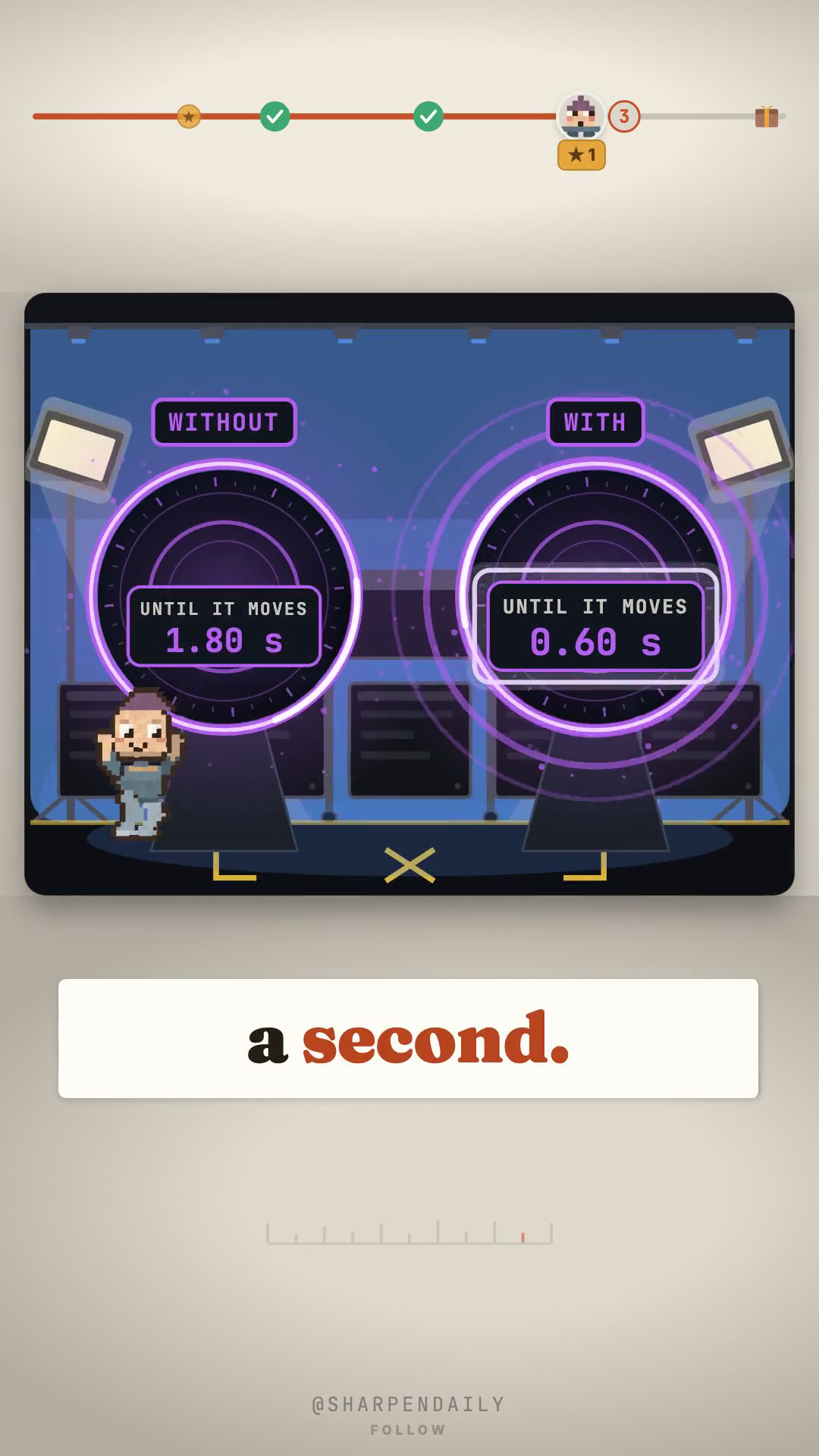
Then we ran the actual race — one already-open page per condition, 5 timed
trials each, counting real purple pixels on screen frame by frame, not just
the socket message:
| without the router | with the router | |
|---|---|---|
| colour starts moving (median) | 1.81 s | 0.60 s |
| fully changed (median) | 3.25 s | 1.95 s |
Roughly 3x faster to the first visible change, about 1.66x faster to fully
settled. The honest tradeoff: every real question gets **about 0.4 seconds
slower**, because Open-Jev has to look at the command first before deciding
it isn't an action.
The setup trap we hit
Point the browser straight at the sidecar on a different port and Jarvis's
own Content-Security-Policy quietly blocks its health check — the page looks
fully alive and just never really connects right. The fix: move Jarvis's real
brain off its usual port and put the router there instead, so the browser's
own settings never have to change. SETUP.md in the kit has the exact three
terminals.
Set it up
Jarvis and Open-Jev install separately. Get Jarvis talking on its own first:
npm install -g @anthropic-ai/claude-code
claude                       # log in once, on a paid Claude plan

git clone https://github.com/adewaskar/jarvis.git
cd jarvis
npm install
npm run setup
npm start
Then Open-Jev-2B, in its own folder:
git clone https://github.com/Zefan-Cai/Open-Jev.git
cd Open-Jev
python3 -m venv .venv
source .venv/bin/activate
python -m pip install -e '.[train]'
huggingface-cli download ZefanCai/Open-Jev-2B --local-dir ./open-jev-2b
python -m jev.server --checkpoint ./open-jev-2b --device mps --port 8794 --max-length 4096
Only once both run on their own do you drop in the router — SETUP.md in the
kit has the three-terminal router step and the exact port fix from the
section above.
What this needs
An Apple-Silicon Mac for the speed part (that's what we measured Open-Jev on
— its own docs target Linux/CUDA, not Apple Silicon, though it worked for us).
An existing Claude Code login on a paid plan — this is not a $0 assistant if
you don't already have one. And only the six listed screen actions get
faster; every question you'd actually want answered still goes to Claude,
slightly slower than before.
Get it
Comment JARVIS and I'll send it over — the router file, the install
steps, the port fix, and every number above with the file it came from,
including the threshold that didn't work.